

I am building a twitter fetcher and from working with the prototype, I've realized that the scrolling is pretty clunky due to some large images. I'd like to restrict my images in the same way that Twitter does here:
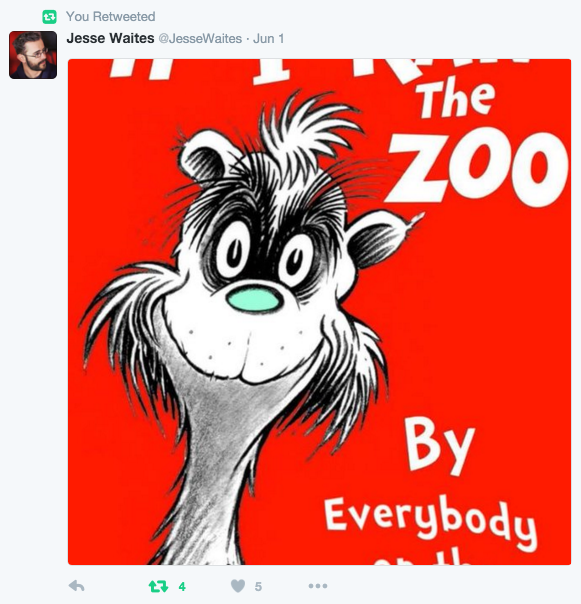
But I'm not exactly sure how to go about this. I know I will need to build my lightbox so images with a certain class are added into it, then append the class via JS. Is there an easier way to go about this?
As of right now, I sort of have this working, except when clicking an image, I can't seem to make it close. I would like it to be "click anywhere to close". Right now I am using a button to close it, but this seems to be broken.
Here is my HTML:
<!-- empty div for twitter fetch -->
<div id="config"></div>
<!-- lightbox popup modal -->
<div class="lightModal">
<div class="lightModal-ier">
<button class="lightModal-close" role="button">×</button>
<h3 class="lightModal-title">Title here</h3>
<img class="lightModal-image" src="http://placehold.it/350x150" alt="Title here">
</div>
</div>
JS
// light box

// get all links
var links = document.querySelectorAll('.lightCustom'),
// make array
arrayOfLinks = Array.prototype.slice.call(links);
// loop
Array.prototype.forEach.call(arrayOfLinks,function(obj,index){
  // open modal on click
  obj.addEventListener('click',function(e){
    e.preventDefault();
    // if not title show no title
    var title = (obj.title) ? obj.title : 'This not have title';
    // add class show
    document.querySelector('.lightModal').classList.add('show');
    // add title in modal with title=""
    document.querySelector('.lightModal-title').ierHTML = title;
    // get href and add in image modal
    document.querySelector('.lightModal-image').src = obj.href;
    // add title in alt image
    document.querySelector('.lightModal-image').alt = title;
  });
  // close modal
  document.querySelector('.lightModal-close').addEventListener('click',function(e){
    e.preventDefault();
    // remove class="show"
    document.querySelector('.lightModal').classList.remove('show');
    // remove title
    document.querySelector('.lightModal-title').ierHTML = '';
    // remove src
    document.querySelector('.lightModal-image').src = '';
    // remove alt
    document.querySelector('.lightModal-image').alt = '';
  });

});
Here is a Working CodePen as well.
Appreciate the help, thanks guys!